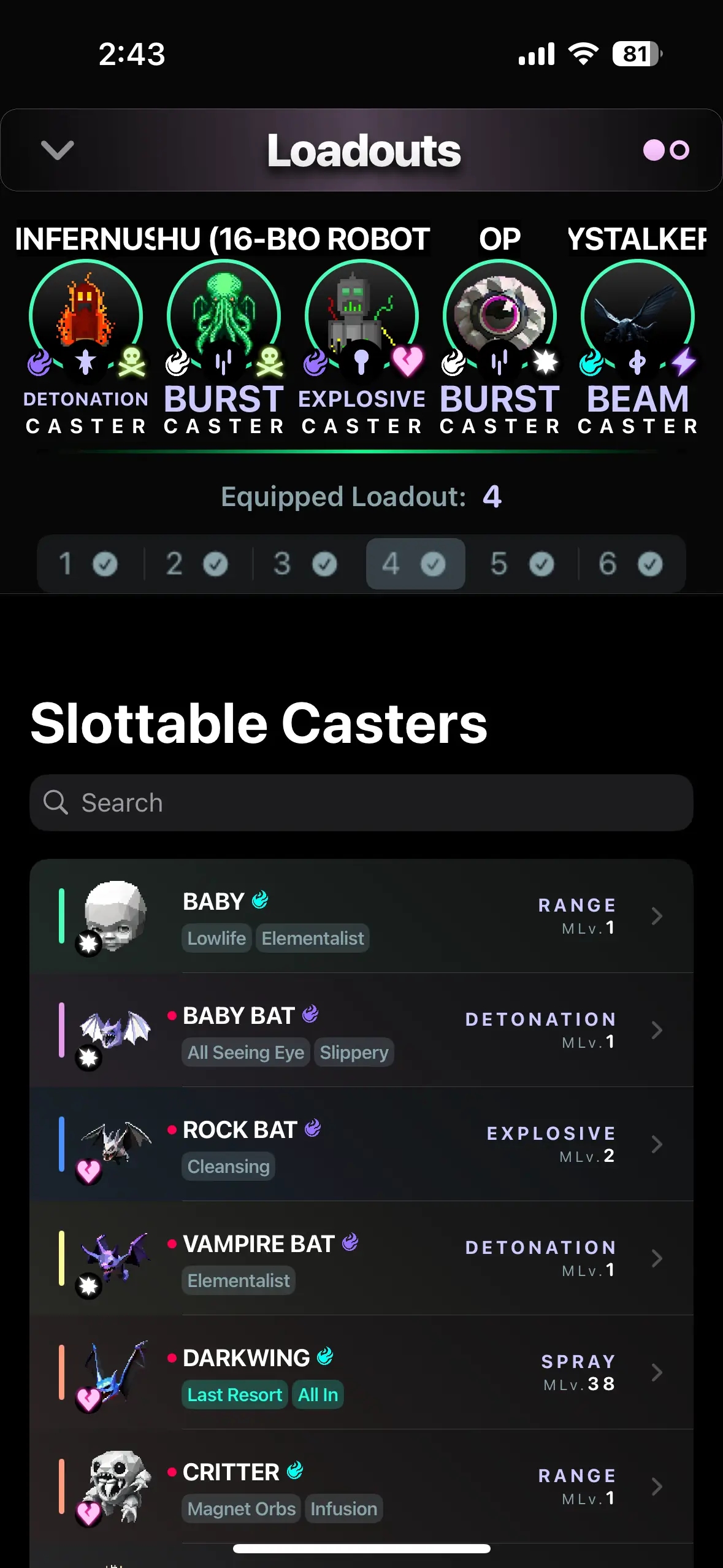
The Loadouts screen lets you configure the Casters you plan to bring with you into any activity. By default, there are 3 Loadouts you can equip Casters into (up to 6 with the Stimulant In-app Purchase).
Casters can only be slotted into one Loadout at a time, and only one Loadout can be brought into an activity. The last selected loadout option in the Loadouts screen becomes the equipped Loadout.
Casters can be placed in any order, and any combination of Casters can be used in each of the 5 slots of a Loadout. Casters cannot be removed from their slots in Loadout #1, they must be swapped with a Caster. Other Loadouts can have Casters completely removed from slots, leaving empty slots, but these Loadouts will not be valid to bring into an activity. In those cases, the equipped Loadout will fall back to Loadout #1.
The initial Loadout and starting Casters are chosen by players on first game launch in the Welcome tutorial.
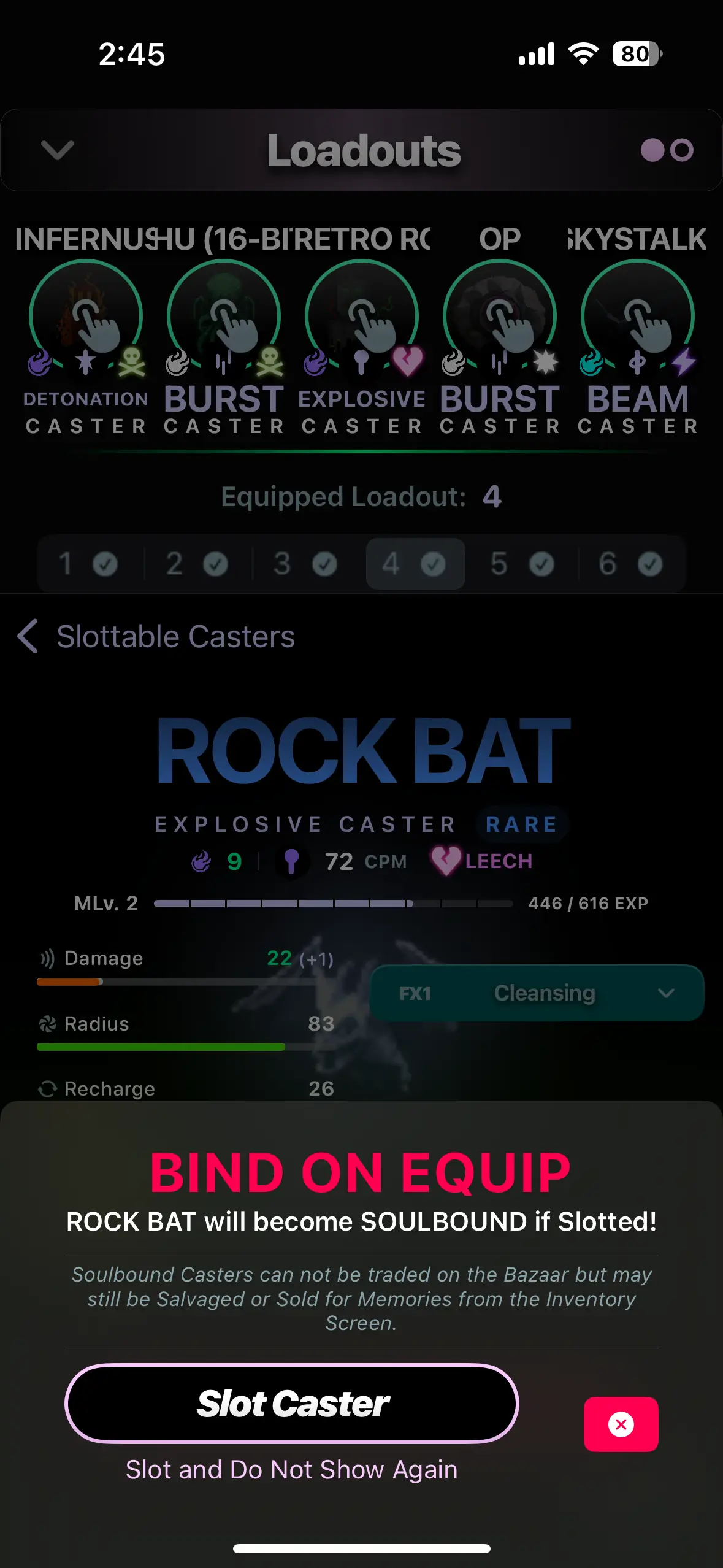
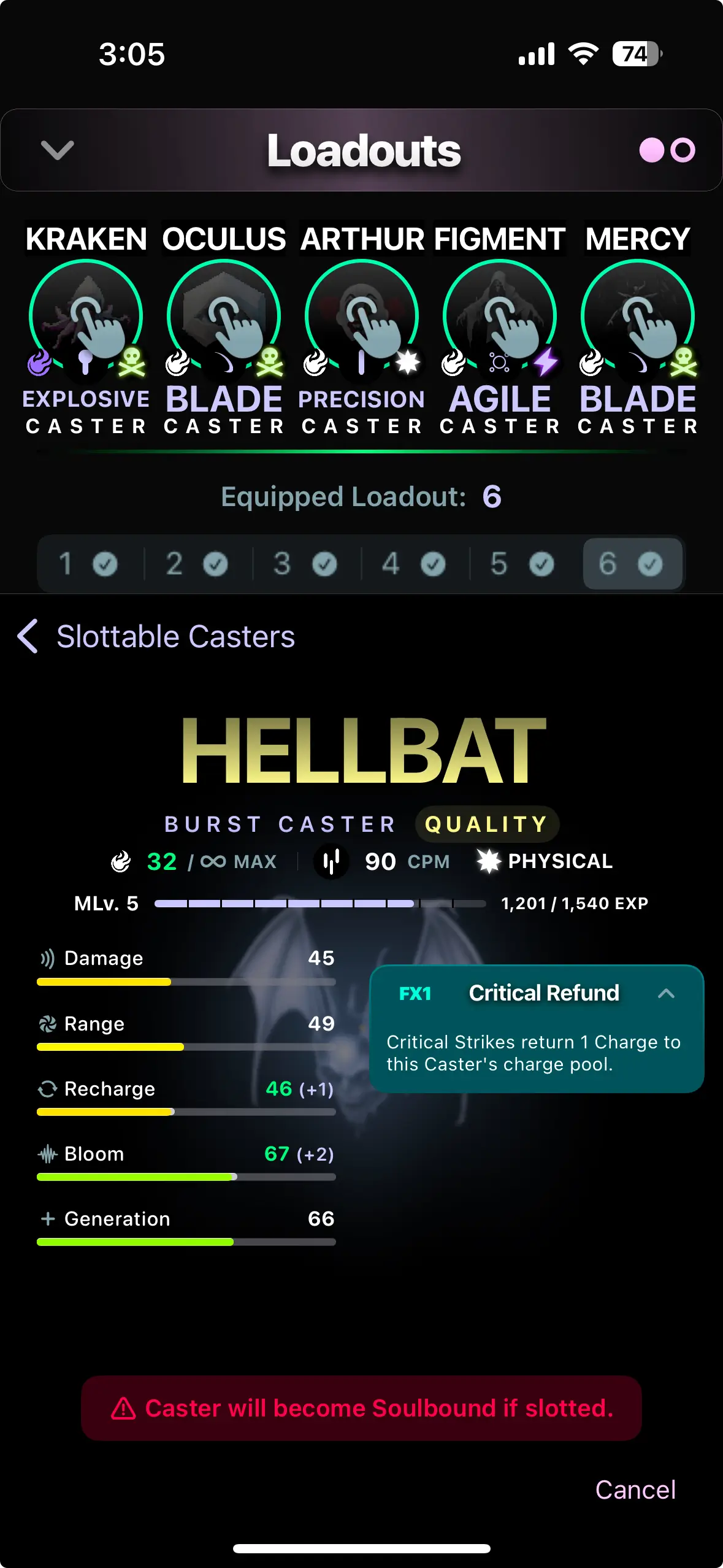
Soulbound & Bind-on-Equip
Casters which are found in Transient Chests, crafted, or purchased from another player in the Bazaar are considered Bind-on-Equip (BoE). If you equip a Caster into a slot, even if it is not brought into an activity, it will become Soulbound.
Soulbound means that the Caster can no longer be sold at the Bazaar. Soulbound Casters can still be sold for Memories, salvaged, or used by the player it is Soulbound to.
Some Casters are Soulbound by default, such as your starting Casters and Casters purchased from the Vendor.
